


Permission Profiles
Definition
Permission Profile enables you to organize users and resources based on access rights, making access management easier for administrators.
Step-by-Step Guide
- How to Create Permission Profile
- Go to Permissions page from the side menu under settings list.
- Click Create from the Top-Right corner.
- A pop-up will show-up, Fill it with the details of the profile you want, then click submit

- How to add permissions to a permission profile
NOTE: In order to be able to assign permissions to a profile, you need to have the following permissions assigned to your tenant & BG:
- Manage profile Permissions
- Get Profile Permissions
- Get Profiles
- Edit Profile
- Create Profile
- Delete Profile
- Delete User Profile
- Assign Profile
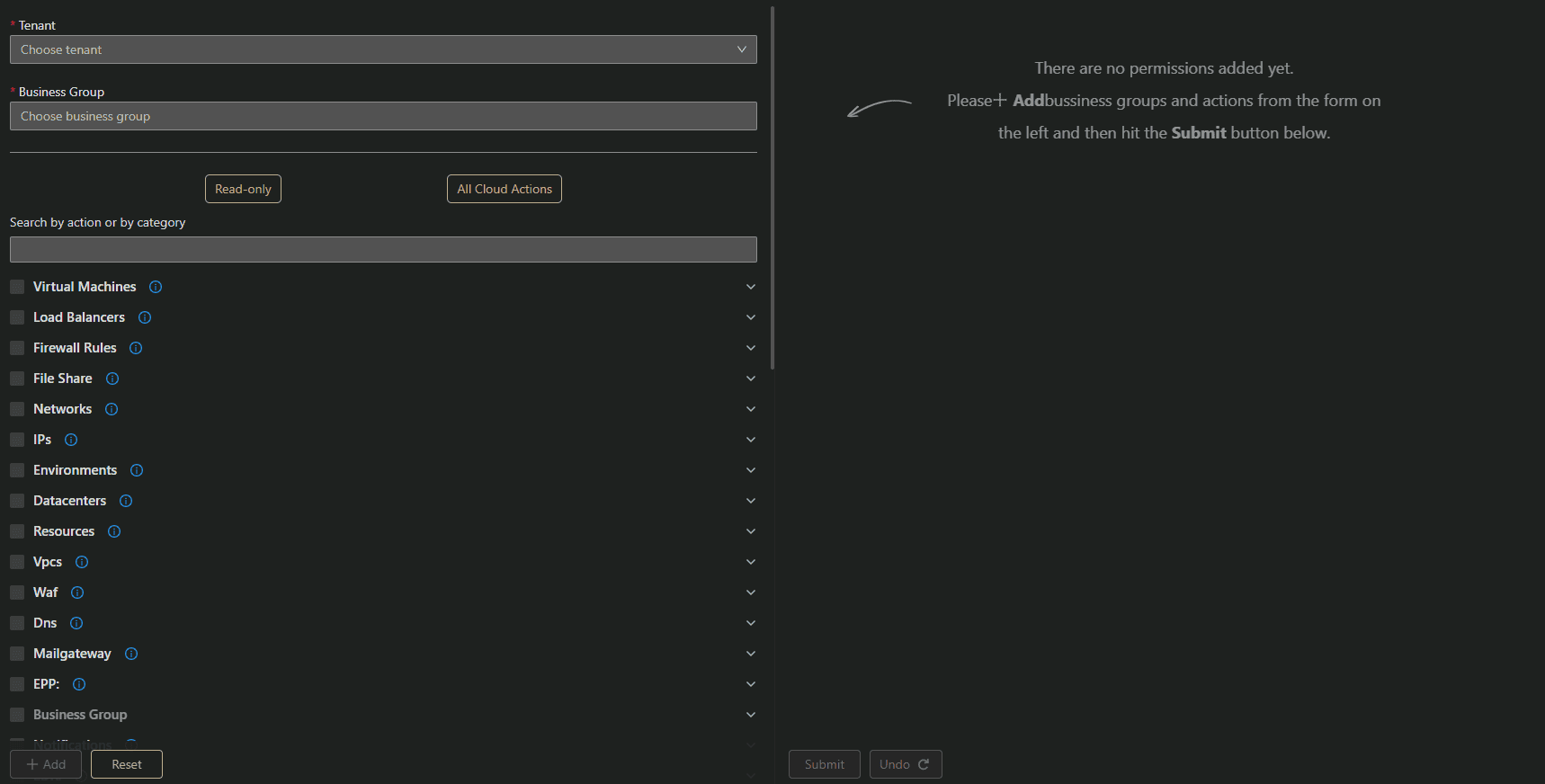
In this page you can choose any action/read-only you want to assign to your desired permission profile.
Feel free to explore the permissions and click include any one you want to your profile with the exact Business Group/Groups.
- How to assign a User to Permission Profile
In the permission page, Click The number of users assigned to it.

The following pop-up window will appear, you can any user on your environment that has access to cloud portal to the permission profile you want.
(for more on how to gain access to cloud portal for other users please visit Users Management Guide)