


Document Parsing
Introduction
Our Document Parsing product enables reliable extraction of text and structural information from a wide range of document formats, including PDFs, scanned files, and images. With minimal setup, you can convert raw documents into structured, machine-readable outputs ideal for downstream AI and retrieval workflows.
Each variant of Document Parsing is optimized for a specific use case, from simple OCR extraction to rich multimodal understanding of visual documents.
Overview
Here’s an overview of the available Document Parsing variants:
Docling OCR
The Docling OCR variant extracts text and structural information from documents using advanced Optical Character Recognition (OCR). It’s ideal for processing PDFs, and supports many other document types.
Docling OCR – Chunking
The Chunking version of Docling OCR automatically splits the parsed document into smaller semantic chunks, optimized for Retrieval-Augmented Generation (RAG) workflows
.
These chunks can be easily embedded and stored in a Vector Store for efficient semantic search and retrieval.
Note: When chunking is enabled, images are excluded from the output to ensure clean, text-focused chunk generation.
Docling Vision
Docling Vision extends parsing capabilities to multimodal documents that combine text and images. This variant not only extracts textual content but also analyzes and describes visual elements within the document.
Docling Vision – Chunking
Docling Vision – Chunking extends the Vision variant by enabling chunking for multimodal documents.
Input Format
The Document Parsing endpoint accept files as base64-encoded input.
You should encode your document (e.g., PDF, PNG, JPG) into a base64 string before sending it in the request body.
Example (simplified JSON structure):
{ "base64_string": JVBERi0xLjUKJdDUxdgKNSAwIG9iago8PC9UeXBlIC9..." }
Supported File Formats
The Document Parsing API supports a wide range of file types across text, document, and image formats.
You can upload any of the following formats for processing:
Documents: pdf, docx, pptx, xlsx, html, md, csv
Images: jpeg, png
These formats cover most use cases for text extraction, document analysis, and multimodal parsing.
Getting Started: Creating an API Key
To begin using Document Parsing, you’ll first need to create an API key in the Cloud Portal.
Step 1: Open the Product Page
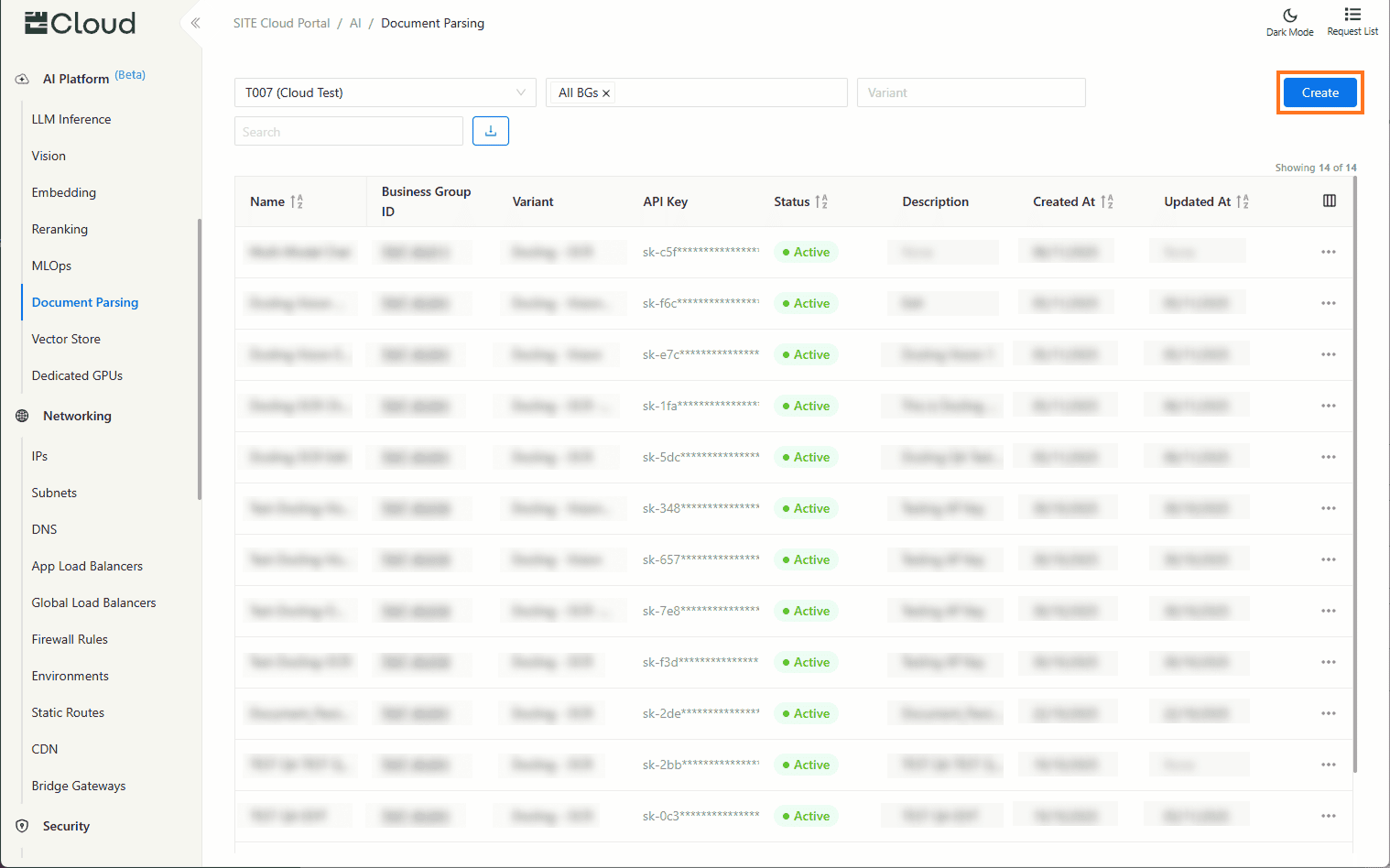
In the Cloud Portal, navigate to Document Parsing to view and manage your existing API keys, then click Create.
Step 2: Create a New API Key
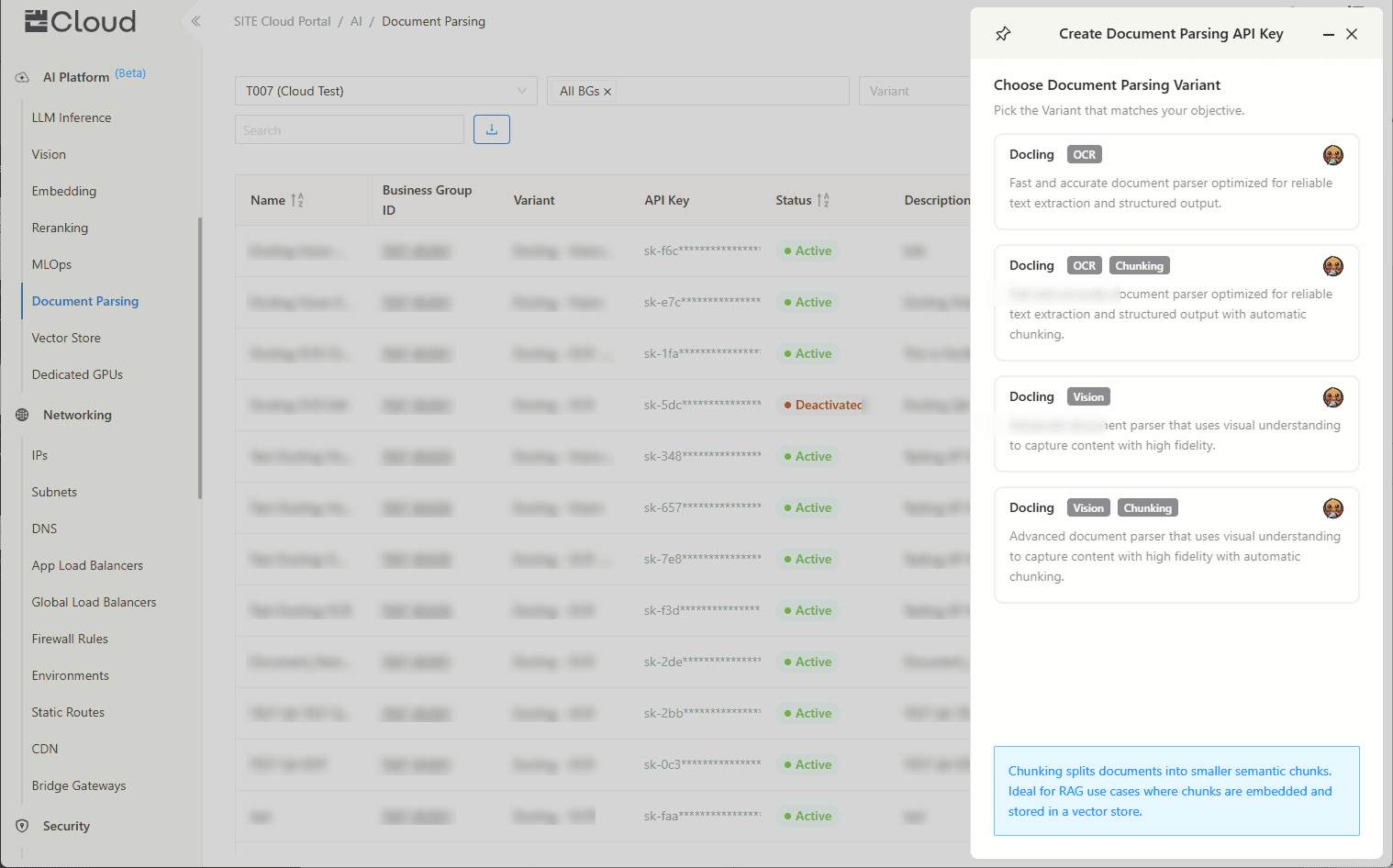
Now, select the variant you’d like to use.
Step 3: Provide Key Details
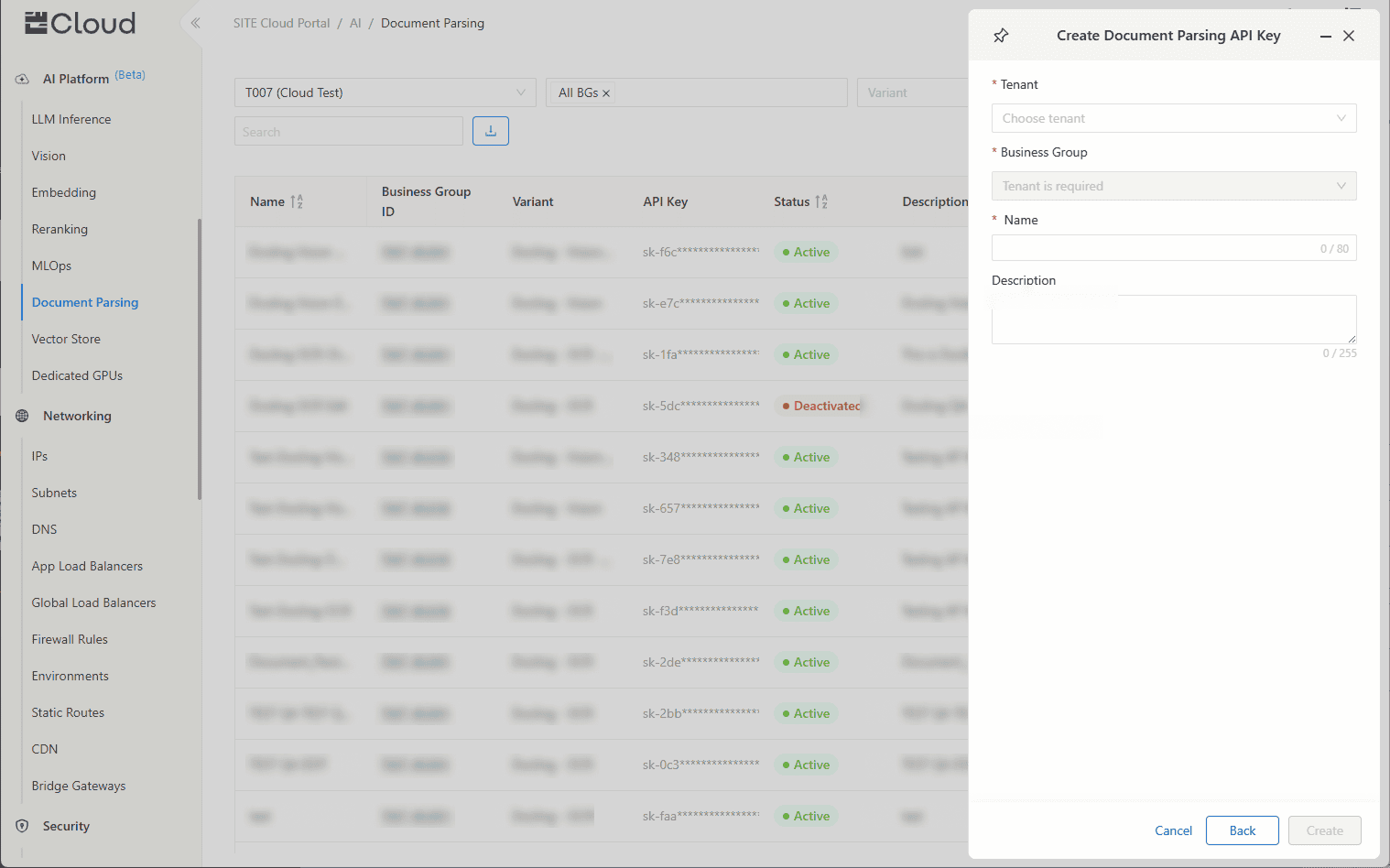
Enter:
Name: A unique identifier for your key.
Description (optional): A short note to describe its use.
Step 4: Copy Your Key and Endpoint
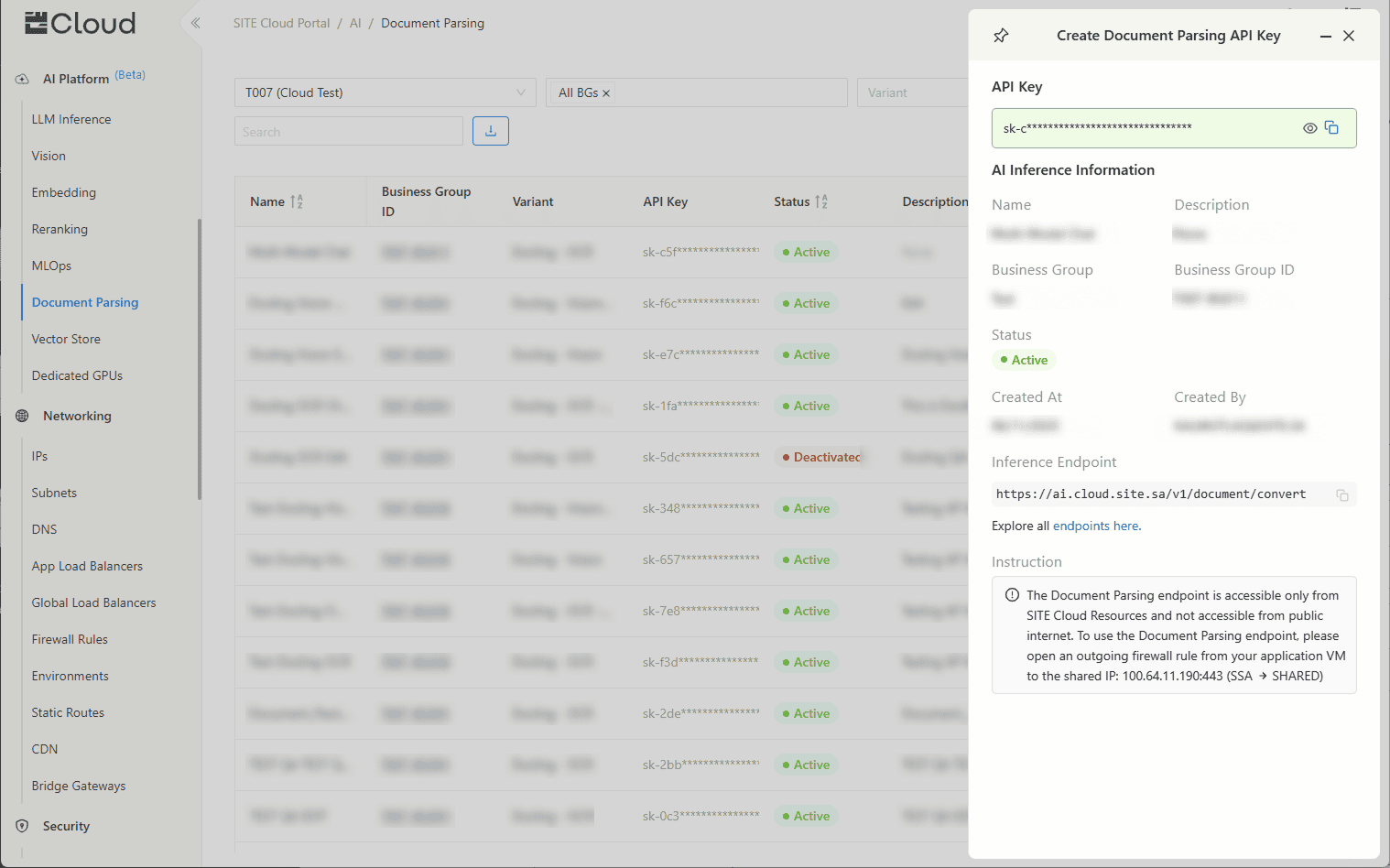
And that's it! Once created, your API key and endpoint will be displayed.