


Subnets
Subnets Overview
Subnets play a crucial role in modern network architecture for two fundamental reasons, Organization and security.
By breaking down larger networks into smaller, manageable segments, subnets enhance resource management and simplify administration.
Subnet Manual
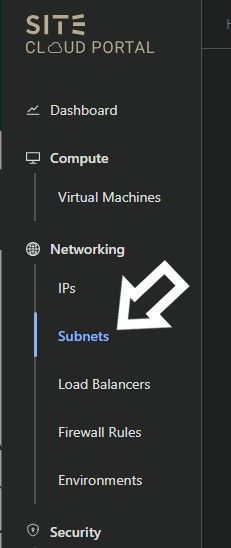
1- Login into My.cloud.site.sa Access the Subnets section from the left sidebar under Networking
2- Move to the right sidebar and click on the create button.
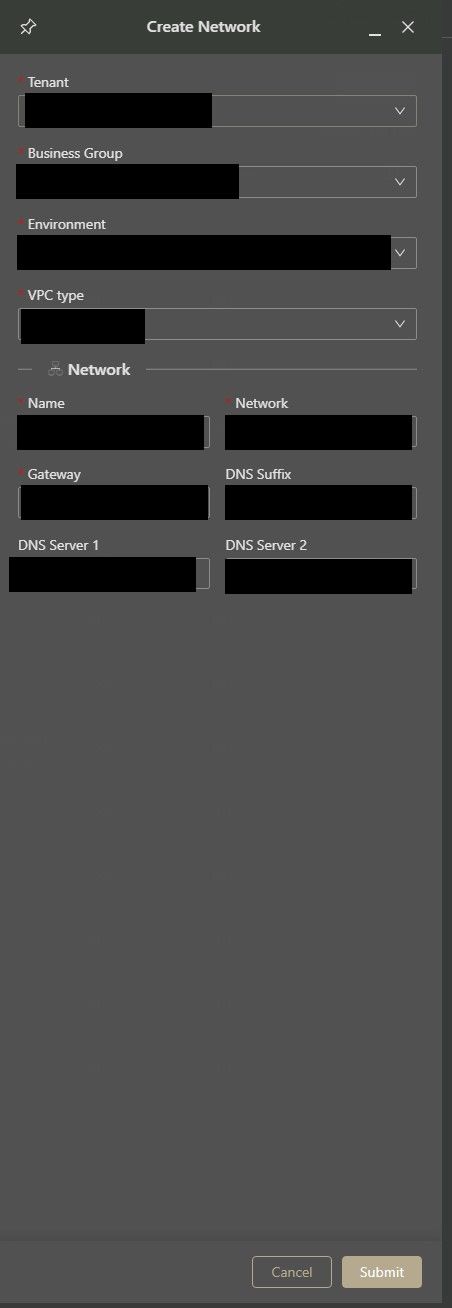
3- Choose the Business Group (BG) for which you intend to establish a subnet.
Select your Virtual Private Cloud (VPC): SSA or HSA.
Provide a Name for the subnet.
Specify the Network in the format (e.g., 192.168.0.0/24) that you wish to allocate.
Set the Gateway for the subnet.
Define the DNS suffix, which denotes the domain name (e.g., "google.com").
Assign your DNS server, for example, 8.8.8.8.