


Troubleshooting Windows VM Internet Connectivity
Windows Server is a powerful operating system used by organizations to host various services. Ensuring that the server can reach the internet is crucial for downloading application updates, and other essential tasks. This troubleshooting manual will guide you through the process of diagnosing and resolving common issues that may affect the internet reachability of your Windows Server.
Getting Started
Before diving into troubleshooting, ensure you have the following prerequisites:
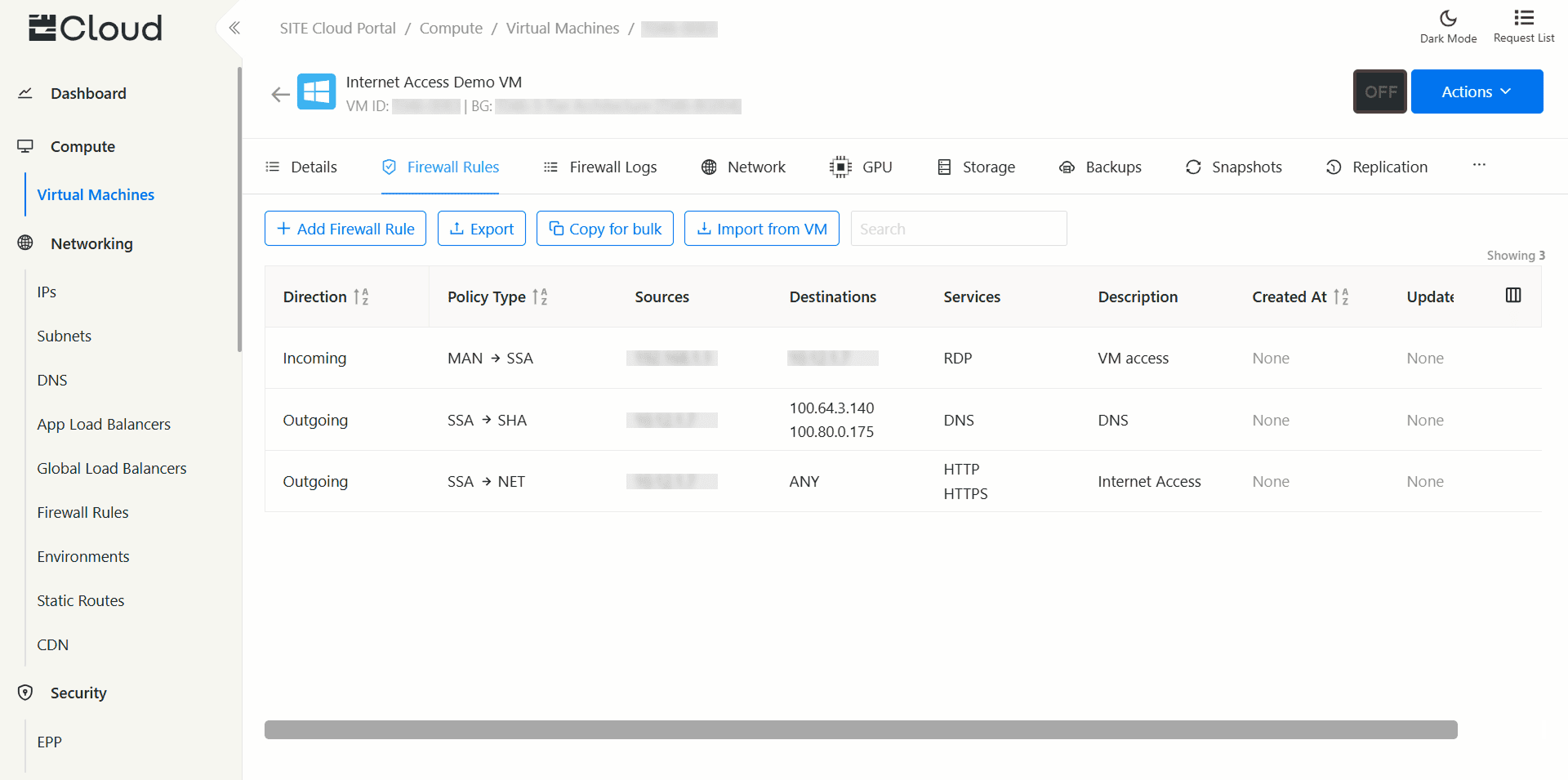
Zone: VM has to be in SSA zone to be able to reach the internet directly.
Valid Firewall Rules: Add an outgoing FW rule to the internet on ports 443/80, and port 53 to your DNS.
Access: Ensure you have administrative access to the Windows VM.
Basic Knowledge: Familiarize yourself with basic networking concepts, DNS, and Windows Server settings.
Safety and Security
While performing troubleshooting tasks, always keep safety and security in mind:
- Backup: Before making any significant changes, back up critical data and configurations.
- Firewall: Be cautious when modifying firewall settings. Ensure you do not compromise security.
- Updates: Ensure your server has the latest updates and security patches.
- Documentation: Document any changes made during troubleshooting for future reference.
Troubleshooting Steps
Step 1: DNS Server Configuration
A common reason for internet reachability issues is incorrect DNS server settings. Follow these steps to verify and fix DNS issues:
Check DNS Settings:
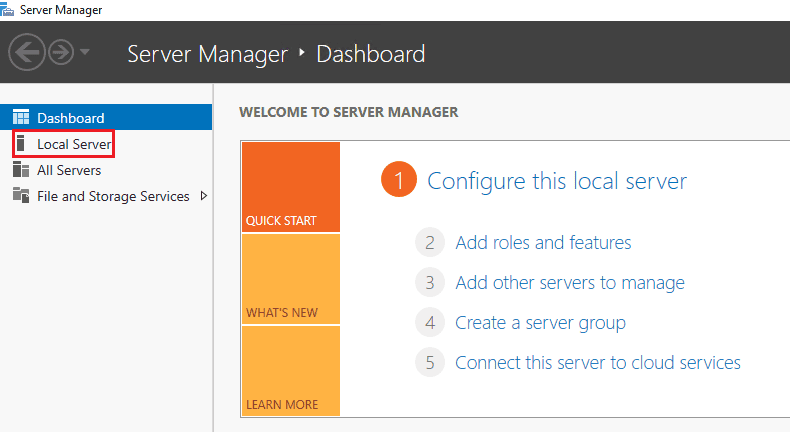
Open "Server Manager." Click on "Local Server" and check the DNS settings under the "NIC Teaming" section. Ensure the DNS server addresses are correct.
DNS Resolution: Open Command Prompt with administrative privileges. Use the nslookup command to check DNS resolution. For example:
nslookup site.sa
If DNS resolution fails, check the DNS server settings and try using alternative DNS servers.
Step 2: Windows Internet Explorer Enhanced Security Configuration (IE ESC)
Internet Explorer Enhanced Security Configuration can prevent access to websites. To disable it:
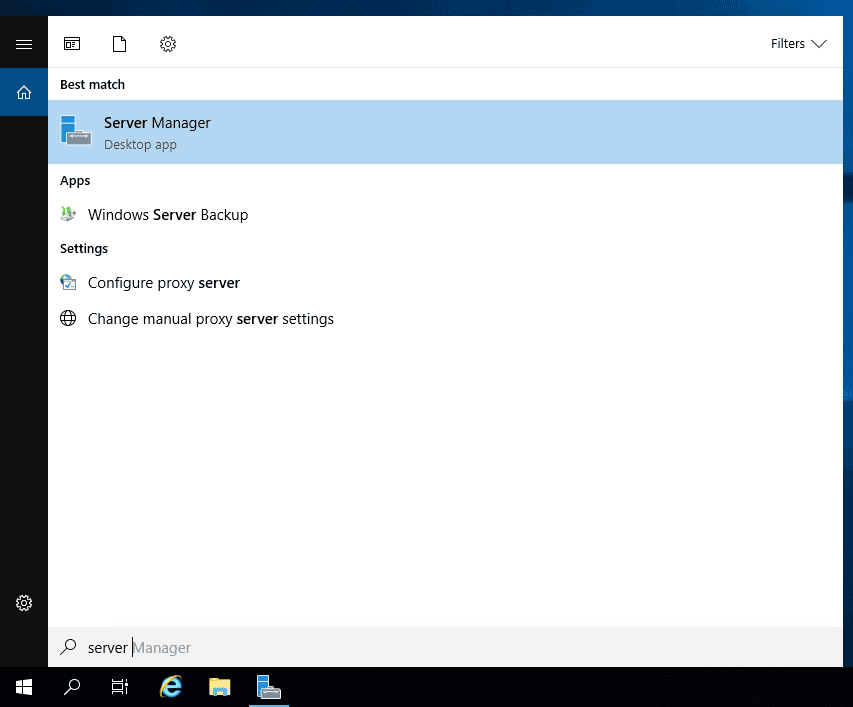
- Open Server Manager.
- Click on "Local Server".
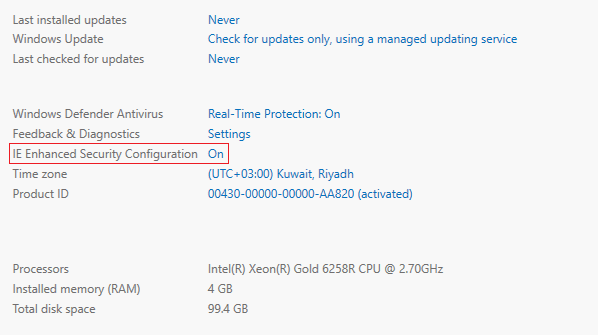
- In the properties pane, locate "IE Enhanced Security Configuration" and click on the "On" link.
- Set both "Administrators" and "Users" to "Off".
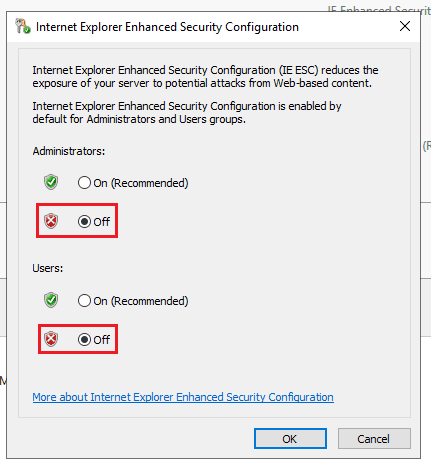
- Apply the changes. Restart Internet Explorer or the server if necessary.
Step 3: Firewall Settings
Firewall rules can block internet access. Ensure the necessary rules are in place:
- Open Windows Defender Firewall with Advanced Security.
- Review both inbound and outbound rules to ensure there are no rules blocking internet access.
- If necessary, create a new outbound rule to allow internet access.
Step 4: Proxy Server Configuration (if applicable)
If your network uses a proxy server, make sure it's correctly configured on the server:
- Open Internet Explorer.
- Go to "Tools" > "Internet Options" > "Connections" tab > "LAN Settings".
- Ensure the correct proxy server details are entered.
Glossary and References
DNS: Domain Name System - A system that translates domain names into IP addresses. nslookup: A command-line tool to query DNS servers for domain name resolution. Firewall: A security system that controls incoming and outgoing network traffic.
References:
Windows Server Documentation: https://learn.microsoft.com/en-us/windows-server
FAQ about Internet Explorer Enhanced Security Configuration (ESC): https://learn.microsoft.com/en-us/troubleshoot/developer/browsers/security-privacy/enhanced-security-configuration-faq