CDN
SITE Cloud CDN
SITE Cloud CDN is a web service designed to speed up the delivery of your static and dynamic web content, such as .html, .css, .js, and image files, to users. It also adds an extra layer of security by offloading traffic and serving as a protective barrier between the end user and the origin server. The service distributes content through a regional network of data centers in Riyadh and Jeddah. When a user requests content from SITE Cloud CDN, the request is directed to the edge location with the lowest latency, ensuring optimal performance for content delivery.
- If the content is already in the edge location, SITE Cloud CDN delivers it immediately.
- If the content is not in that edge location, SITE Cloud CDN retrieves it from an origin that you've defined.
Features
- Extra Security Layer Protects against DDoS attacks, malicious traffic through advanced security mechanisms that help defend against various online threats .
- Content Caching for Reduced Latency Stores and delivers cached content from the edge server, reducing load times and bandwidth usage.
- Load Balancing for High Availability Distributes traffic across multiple nodes to prevent overload and ensure continuous uptime.
- Free SSL Certificate: SITE Cloud CDN offers a free SSL certificate, ensuring secure connections and boosting user trust with HTTPS.
- Free Domain: An option offered by SITE Cloud CDN to enhance your website's presence.
- Customizable Caching Rules & Expiration Control Allows users to define which paths to cache, exclude specific content, and set cache expiration durations for better control over freshness and storage efficiency.
- Real-Time Analytics and Monitoring – Offers visual insights into your CDN instance, helping you track and optimize performance. (Check CDN Insights Documentation)
Step-by-Step Guide
Prerequisites
- An App Load Balancer with Web Application Firewall (WAF) enabled and an assigned shared IP.
*Refer to the App Load Balancer Documentation for detailed instructions on setting up an App Load Balancer.
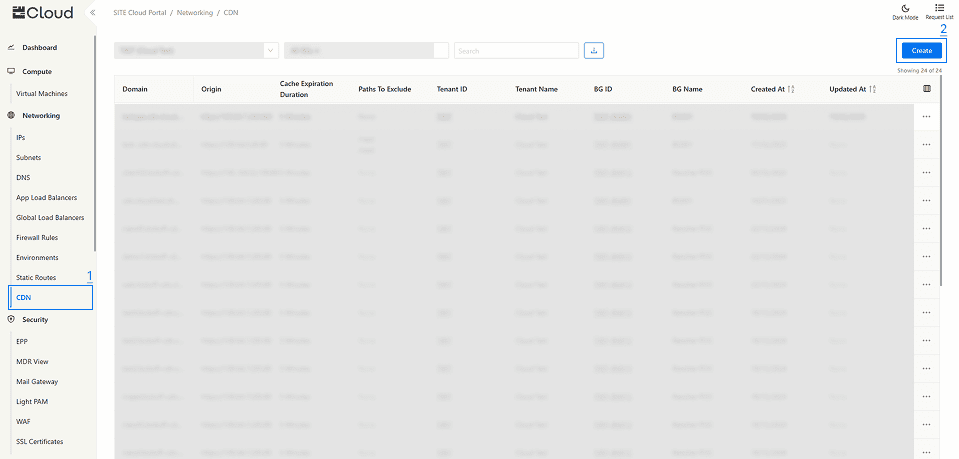
1.Navigating to CDN: In the side menu, navigate to the Networking section and select “CDN”.
2- Create a CDN
- Click on "Create" to create a new CDN
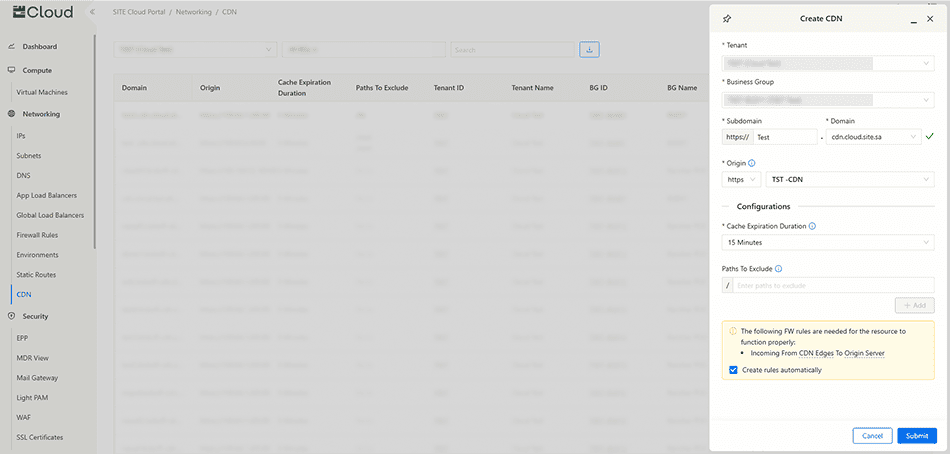
2.1 To create a new CDN, you need to fill in the following information:
- Business Group
- Domain
- Subdomain is not mandatory unless you choose SITE's free domain.
- Origin: choose from the list an app load balancer with WAF and shared IP enabled.
- Protocol: http or https
- Cache Expiration Duration: set an expiration duration for the cached content.
- Paths to Exclude: provide paths to be excluded from getting cached. you can use * to exclude all paths under a directory, Eg: example/*
Note: You need to allow Incoming firewall rules from these shared IPs (100.64.32.32 and 100.80.0.109).
3- Manage your CDN
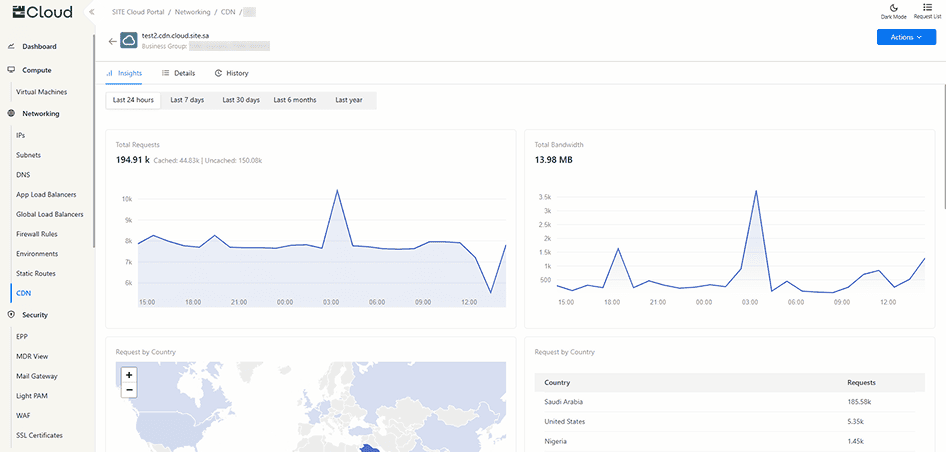
After creating a CDN, click on your CDN to view detailed information about the instance.
3.1 Insights Tab check CDN Insights Doc for more info
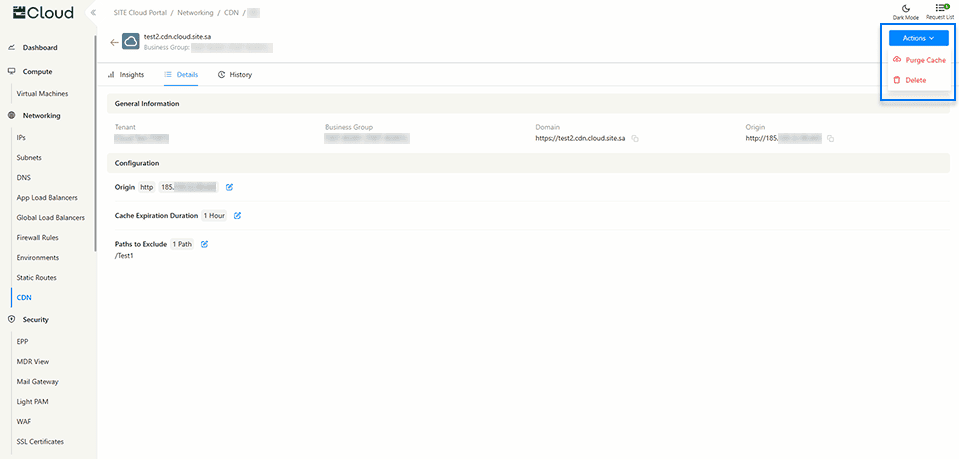
3.2 Details Tab provides comprehensive information about your CDN instance, including its configuration and status.
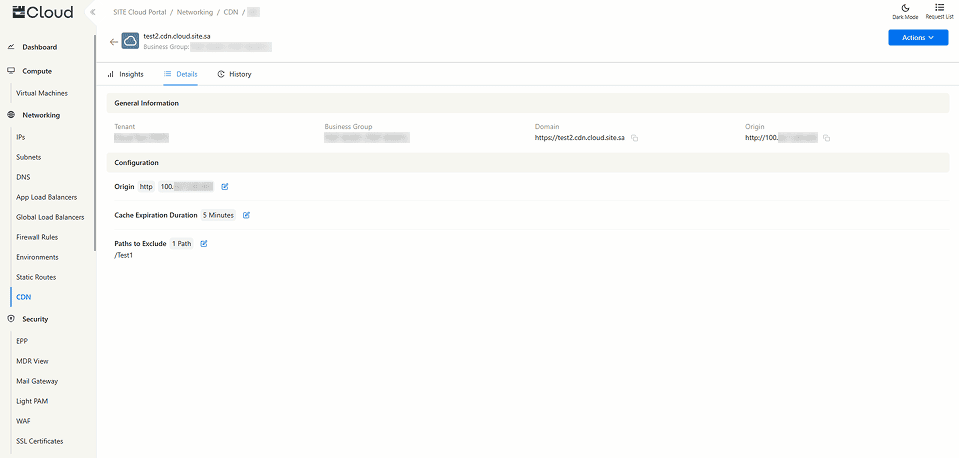
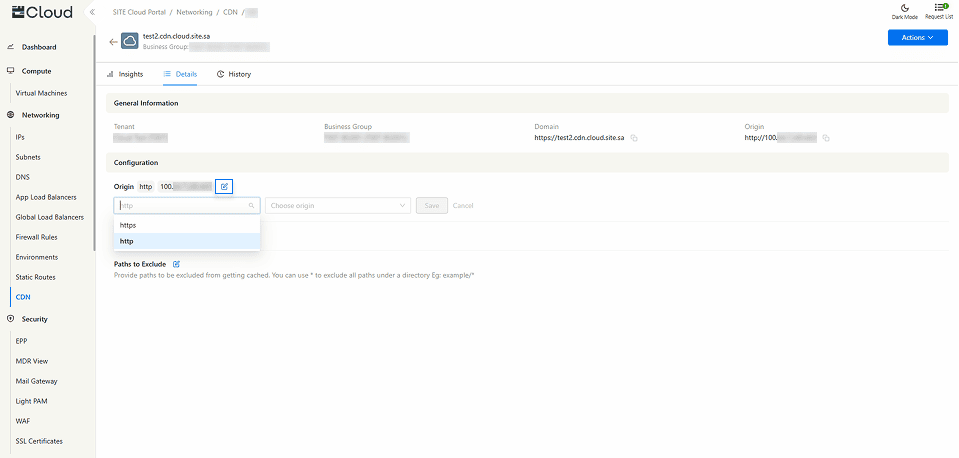
- By clicking on the Edit icon, you can easily modify the Origin, Cache Expiration Duration, and Paths to Exclude, allowing you to customize your CDN settings as needed.
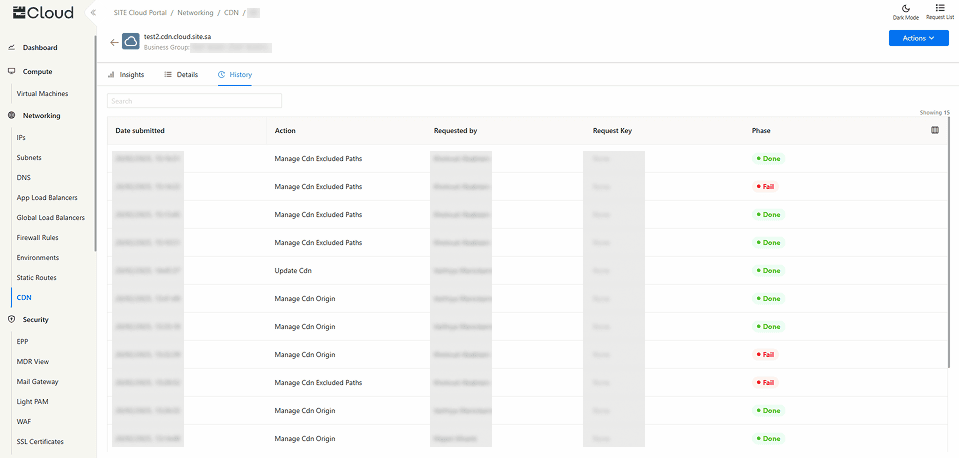
3.3 History Tab displays a complete log of all changes and actions performed on this CDN instance, providing a detailed record for tracking modifications and updates.
3.4 Actions Button
- Purge Cache button clears cached content immediately, ensuring users get the latest version from the origin server without waiting for the Cache Expiration Duration to update it automatically.
- Delete button permanently removes the CDN instance, including its configuration and cached content. This action cannot be undone.