

Search...


DNS
Introduction
Overview
Authoritative Domain Name System (DNS) provides a resilient and highly available domain hosting for your zones and records.
Key Features
- Manage multiple domain names
- Support for all standard DNS record types (See below table for more details)
- DNSSEC and DDoS protection
Supported Record Types
| Record Type | Description | Example |
| A | The A record contains an IP address. It is stored as a decimal dotted quad string. | 10.1.2.3 |
| AAAA | The AAAA record contains an IPv6 address. | 2001:db8:2000:bf0::1 |
| AFSDB | AFS database record. Location of database servers of an AFS cell. This record is commonly used by AFS clients to contact AFS cells outside their local domain. A subtype of this record is used by the obsolete DCE/DFS file system. | |
| ALIAS | Works like a CNAME but it's resolved internally into an address allowing you to use it at your zone apex. | webserver-01.example.com. |
| CAA | Certification Authority Authorization. DNS Certification Authority Authorization constraining acceptable CAs for a host/domain. | |
| CERT | Certificate record. Stores PKIX SPKI PGP etc. | |
| CNAME | Canonical name record. Alias of one name to another: the DNS lookup will continue by retrying the lookup with the new name. | webserver-01.example.com. |
| DHCID | DHCID identifier. Used in conjunction with the FQDN option to DHCP. | |
| DNAME | Delegation Name. Alias for a name and all its subnames unlike CNAME which is an alias for only the exact name. Like a CNAME record the DNS lookup will continue by retrying the lookup with the new name. | |
| DNSKEY | DNS Key record. The key record used in DNSSEC. Uses the same format as the KEY record. | |
| DS | Delegation signer. The record used to identify the DNSSEC signing key of a delegated zone. | |
| KX | Key Exchanger record. Used with some cryptographic systems (not including DNSSEC) to identify a key management agent for the associated domain-name. | |
| LOC | Location record. Specifies a geographical location associated with a domain name. | 51 56 0.123 N 5 54 0.000 E 4.00m 1.00m 10000.00m 10.00m |
| MX | The MX record specifies a mail server for a domain. Each mail exchanger also has a priority or preference. The lower the number the higher its priority. | 10 mail.example.com. |
| NAPTR | Naming Authority Pointer. Allows regular-expression-based rewriting of domain names which can then be used as URIs further domain names to lookups etc. | |
| NS | Name server record. Delegates a DNS zone to use the given authoritative name servers. | ns1.example.com. |
| OPENPGPKEY | OPENPGPKEY is used to associate an end entity OpenPGP Public Key with an email address. | |
| PTR | Reverse pointer used to specify the host name belonging to an IP or IPv6 address. | www.example.com. |
| SOA | The DNS ‘start of authority’ (SOA) record stores important information about a domain or zone such as the email address of the administrator, when the domain was last updated, and how long the server should wait between refreshes. | |
| SRV | Service locator. Generalized service location record used for newer protocols instead of creating protocol-specific records such as MX. | 0 5 5060 sipserver.example.com. |
| SSHFP | SSH fingerprint. | 2 1 123456789abcdef67890123456789abcdef67890 |
| TLSA | Used to bind a SSL/TLS certificate to named hosts and ports. | 1 1 8755CDAA8FE24EF16CC0F2C918063185E433FAAF1415664911D9E30A924138C4 |
| TXT | Text record. Originally for arbitrary human-readable text in a DNS record. Since the early 1990s however this record more often carries machine-readable data such as specified by RFC 1464 opportunistic encryption SPF DKIM DMARC DNS-SD etc. Make sure to put quotes around the text content. | "any text" |
| URI | The URI record is used to publish mappings from hostnames to URIs. | 10 1 "http://www.example.com/path" |
Common Use Cases
- Website Hosting: Hosting a website with apex domain support,
example.com. - Email Service: Configuring email service using your own exchange server or a third-party provider.
Prerequisites
- Make sure you have the necessary DNS actions permissions for your account
- Registered Domain name(s)
- Basic understanding of DNS concepts
Getting Started
Accessing DNS Management
- Log in to your Cloud Portal
- Navigate to Networking → DNS
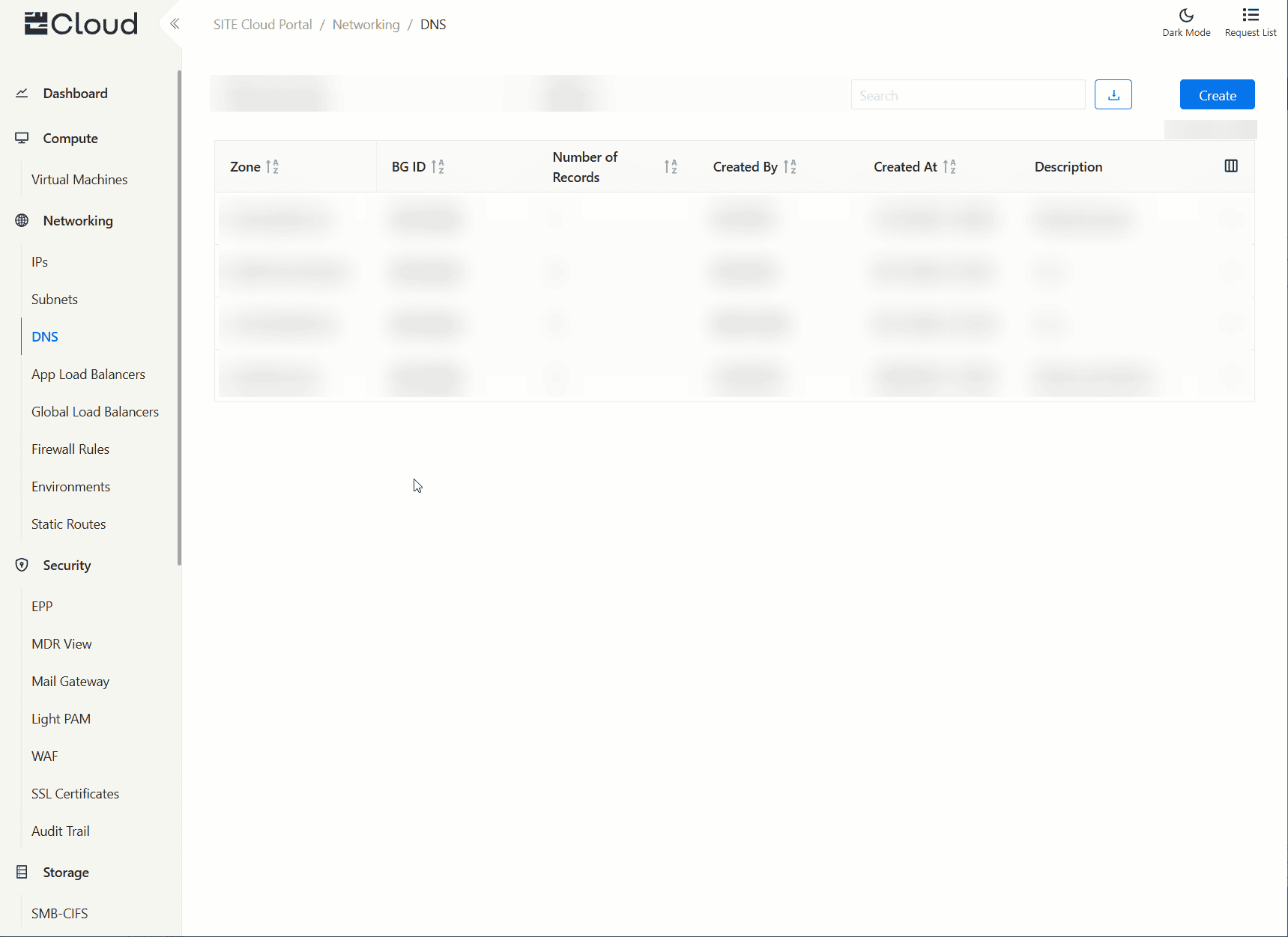
Adding Your First Domain/Zone
- Click “Create” from the top-right corner
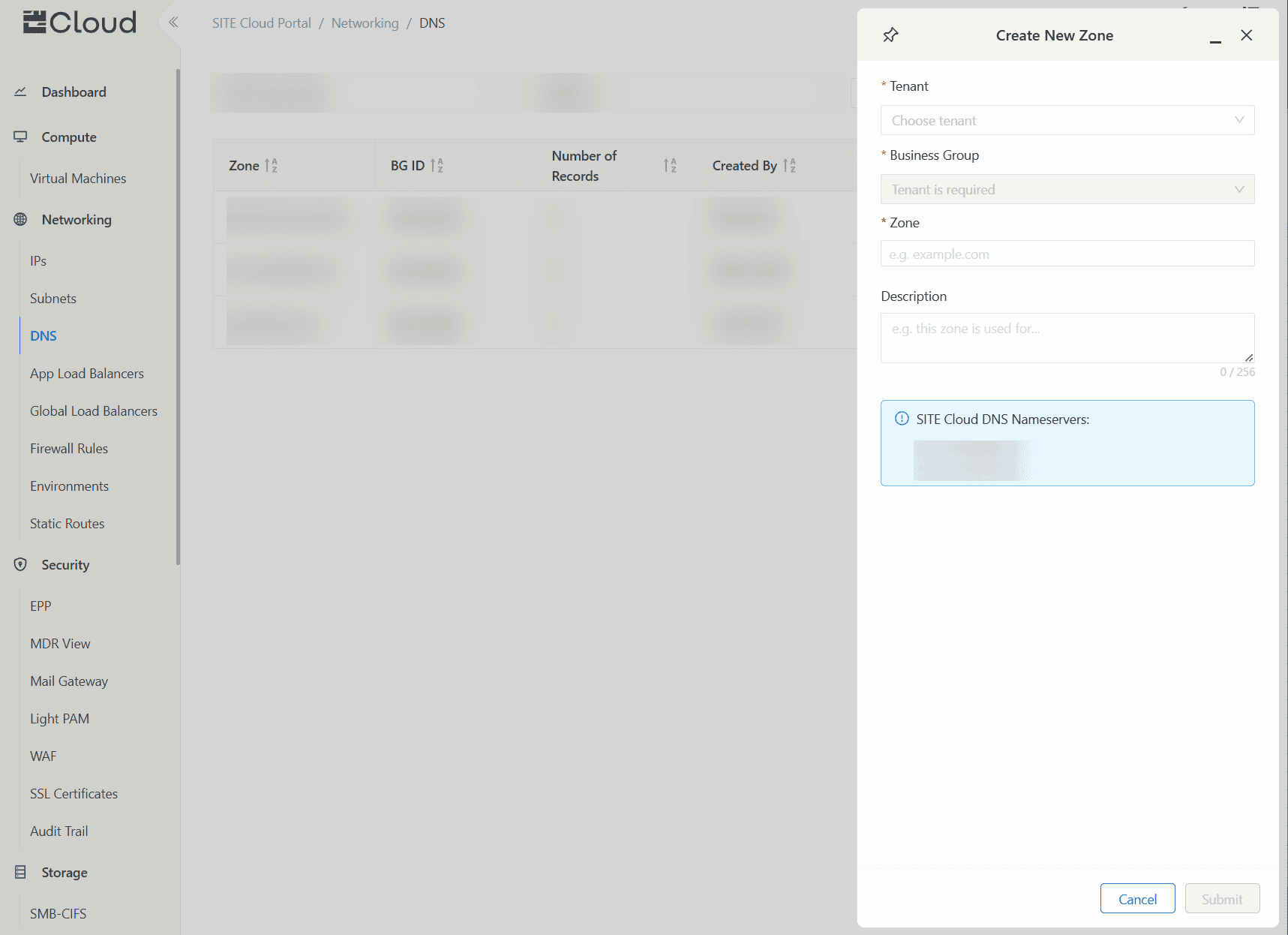
- Select your
TenantandBusiness Group - Type your registered domain name under
Zonefield - (Optional) Add
Descriptionto your zone - Click “Submit”
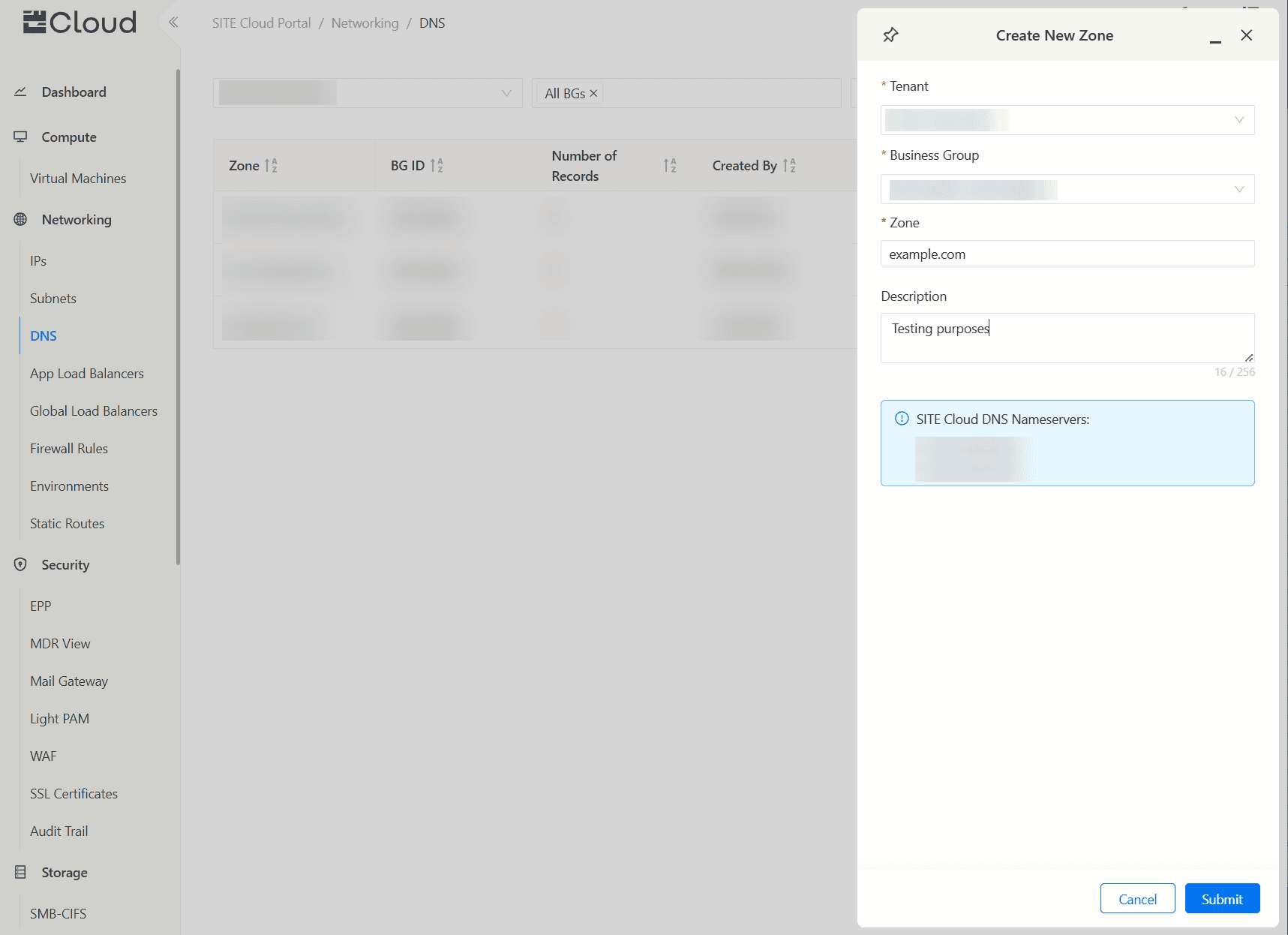
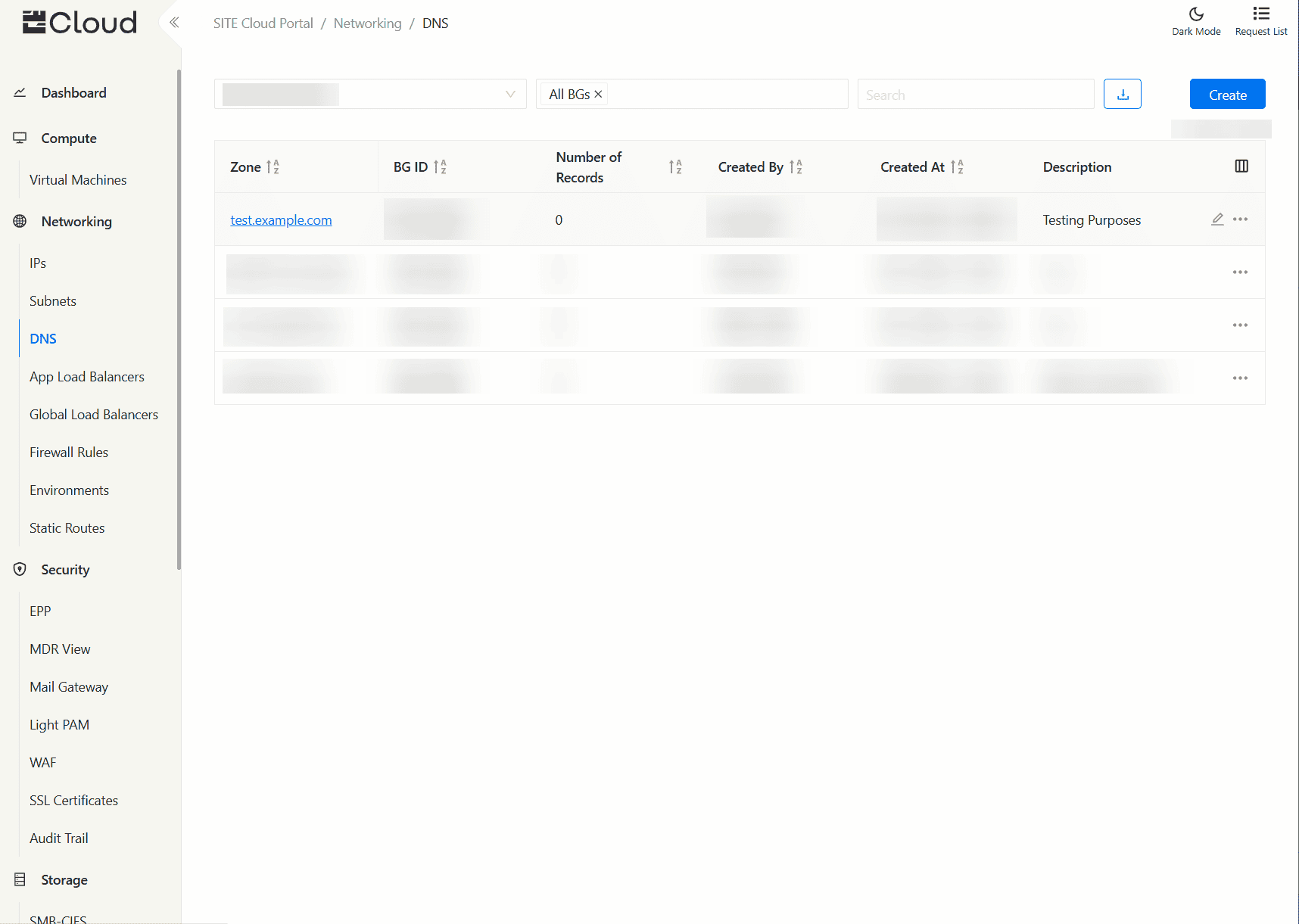
Adding DNS Records
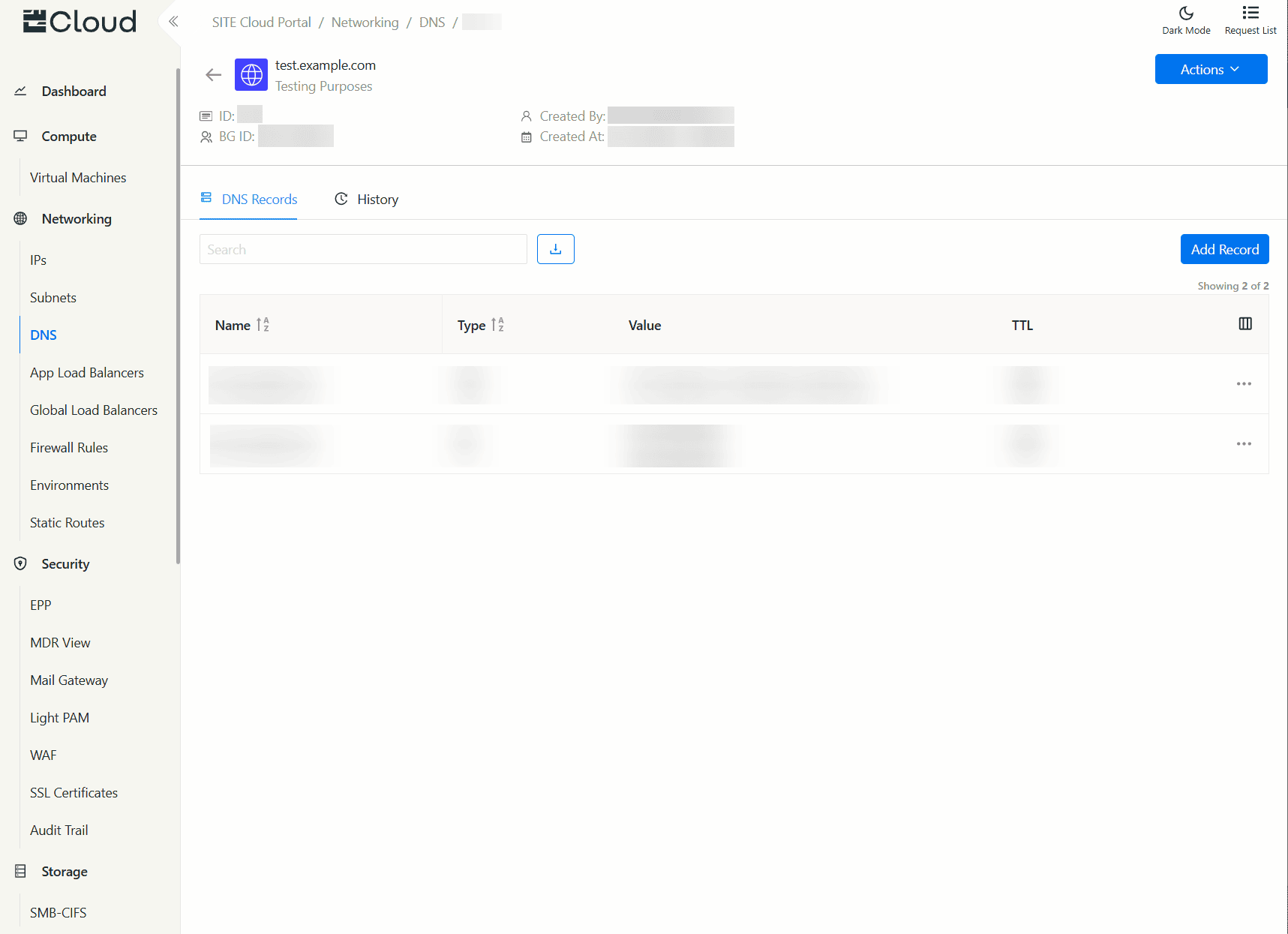
- Select your domain/zone from the table
- Under the “DNS Records” tab, click “Add Record”
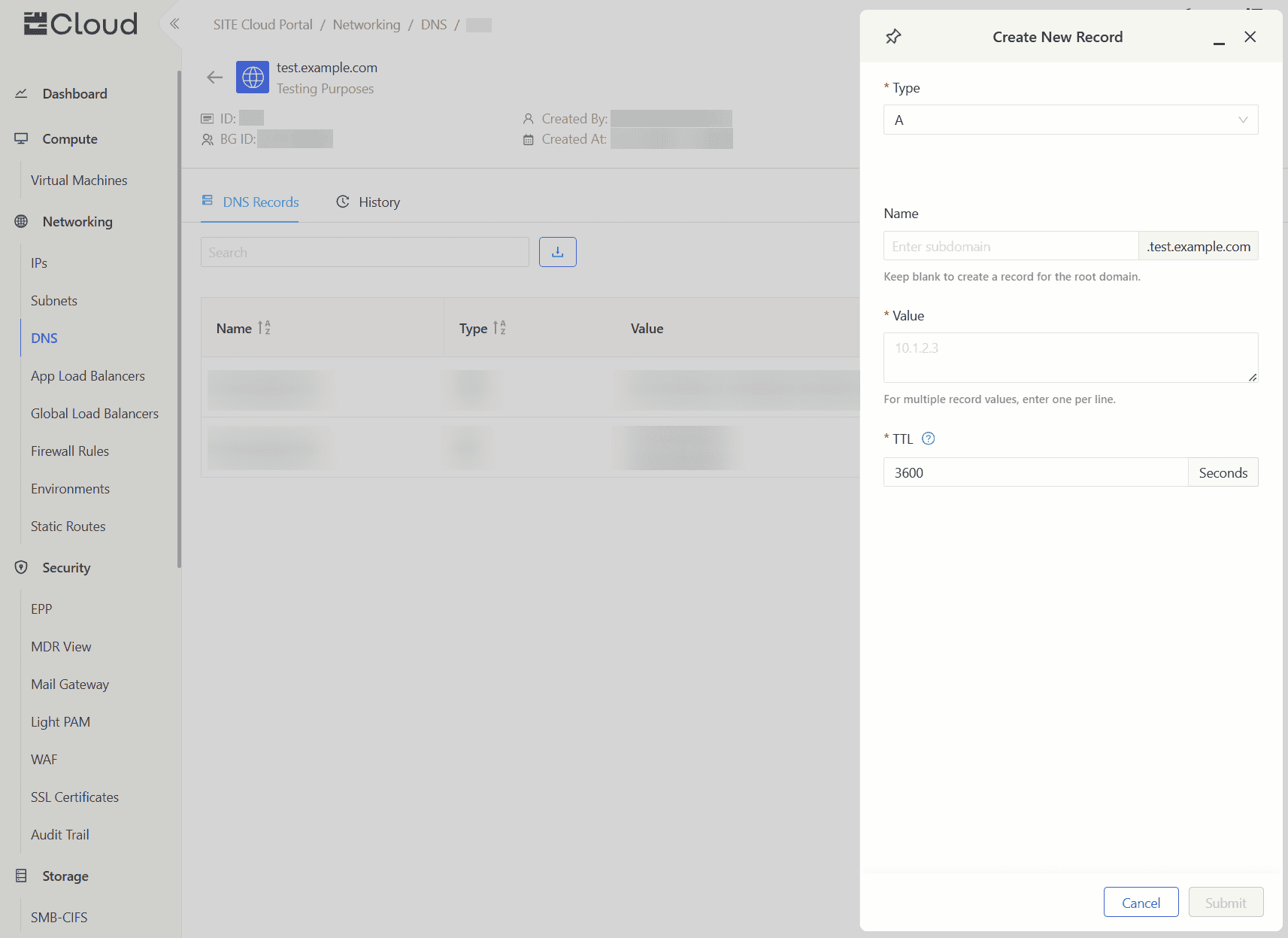
- Choose Record
Type - (Optional) Add
Nameto create record for a subdomain, or leave it empty to create record for the root/apex domain - Enter Record
Value, for multiple record values, enter one record value per line - Enter Record
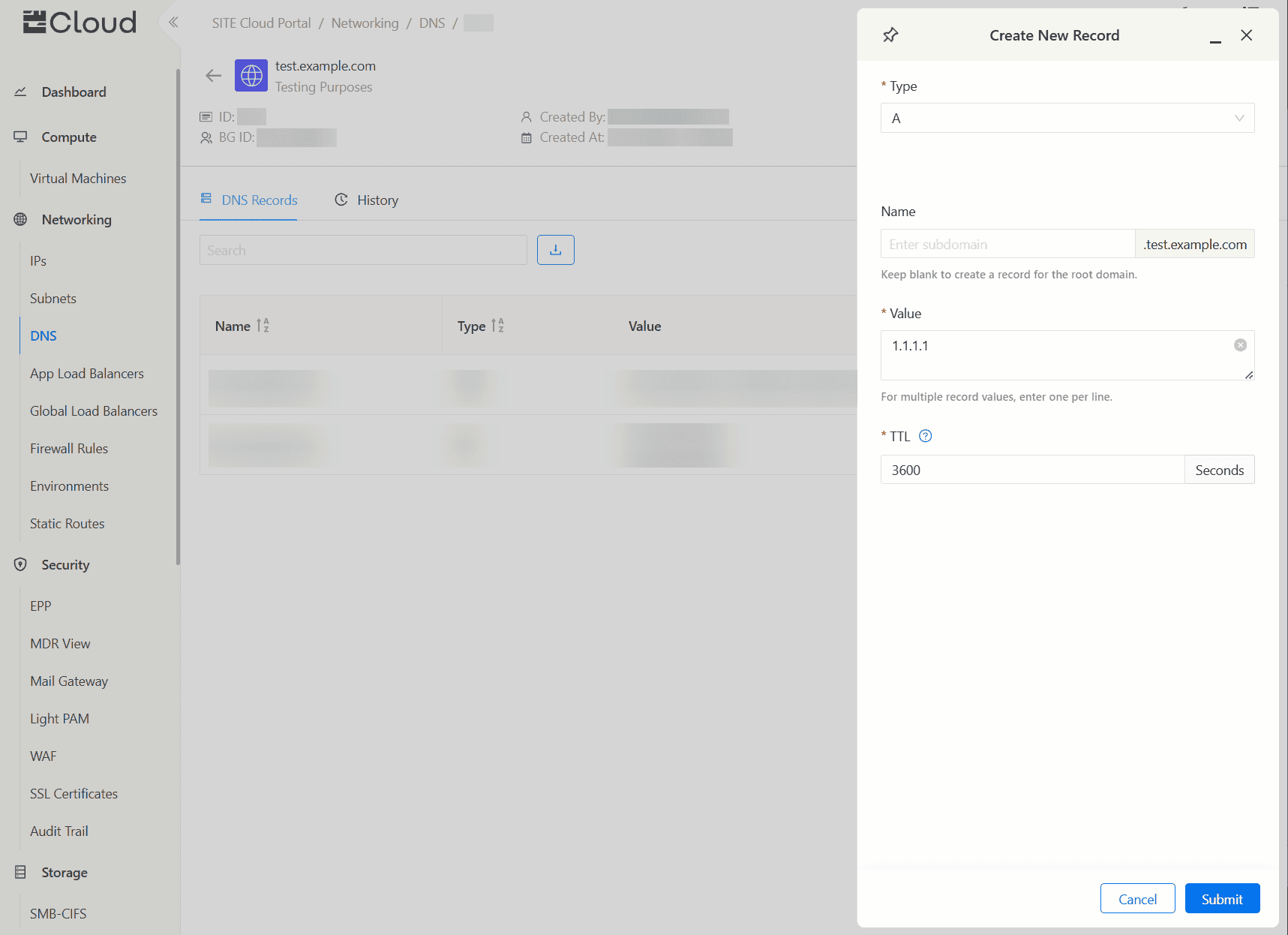
TTLduration in seconds (Used by DNS recursive resolvers to cache information about this record) - Click “Submit”
Managing Existing Records
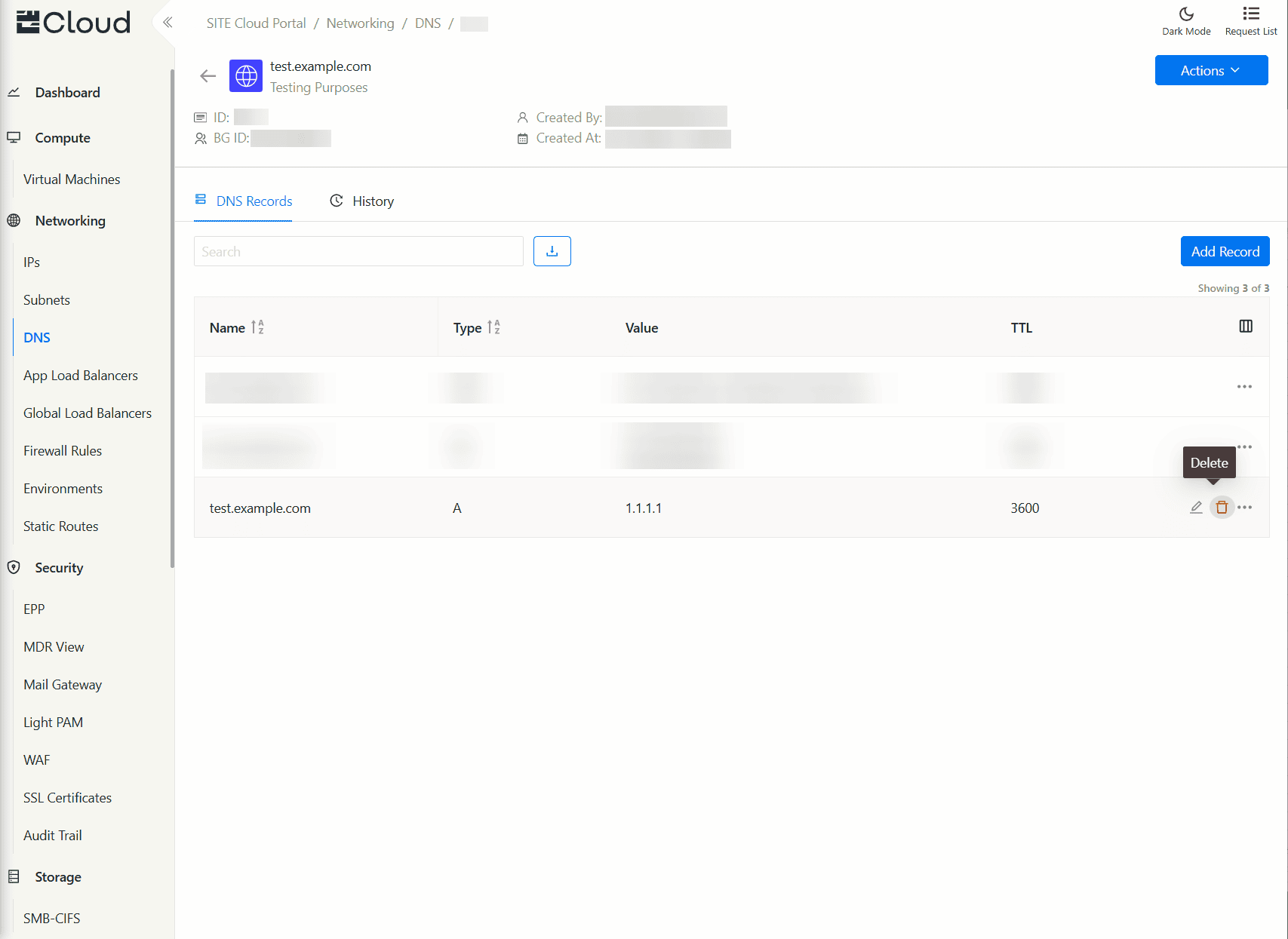
- View all records in the domain/zone details page
- Edit records by hovering over a record, and clicking “Edit” button
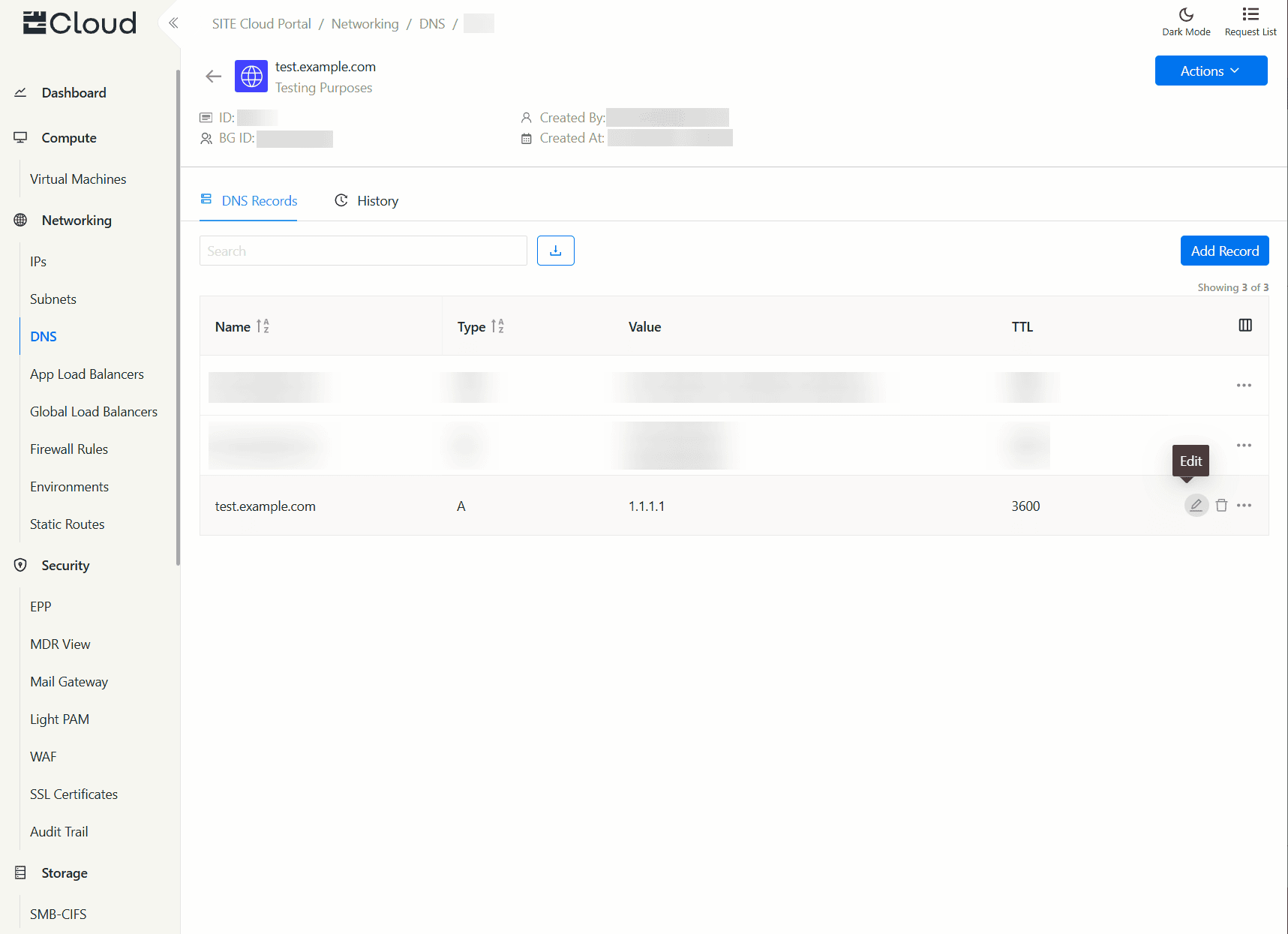
- Delete records by hover over a record, and clicking “Delete” button
Advanced Use Cases
Bulk-adding DNS records
- Navigate to Tools → Bulk Actions
- From the actions dropdown, select
Create Recordaction - Enter the following information per record
zoneId: the ID of your DNS Zone, you can view your zone ID in the details section under your zone page.bgId: the ID of the business group (e.g.,T001-BG001).type: the type of the DNS record (refer to the above list of supported types).name: the full name of the DNS record with the zone (e.g.,poc.acme.saor*acme.safor root domain records).content: the DNS record's content. For multi-line content, join the two lines with the&(Ampersand character) to form the multi-line record.ttl: time-to-live amount in seconds.
Example Record
1,T001-BG001,MX,poc.acme.sa,10 exchange.acme.sa&20 exchange.acme.sa,3600
Notes
Some record types (like TXT records), require special characters in their value (in the case of TXT it's surrounding the value with quotation marks), add the same format in bulk actions:2,T001-BG001,TXT,poc.acme.sa,"test record"&"test2 record",3600
Updated at 2025-09-09