


Firewall Rules (View, Create, Edit, and Delete)
What are Firewall Rules?
Firewall rules or Firewall policies are an access control mechanism that examines information in individual packets, and enforces security in networks by either blocking or allowing communication based on a set of rules or predetermined criteria.
In My Cloud Portal, these predetermined criteria or rule components include the following:
- Direction.
- Policy Type.
- Sources.
- Destinations.
- Services.
- Description (Optional).
We will explore each component, and go through the different use cases for Firewall Rules.
Firewall Rules - View:
To view the existing Firewall Rules of a certain Virtual Machine (VM):
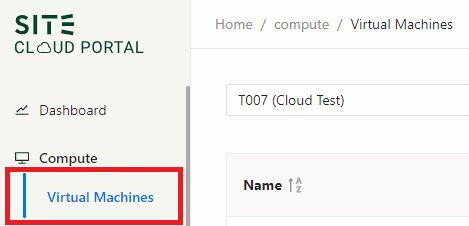
- Navigate to the Virtual Machines tab in Compute section (upper left corner).
- Search for the VM by typing the VM ID or VM IP in Search Box.

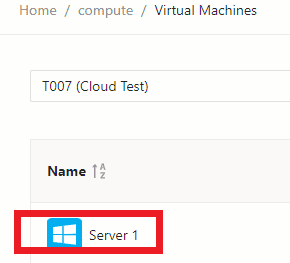
- Click on the VM, and you will be able to view existing Firewall Rules in Firewall Rules tab.
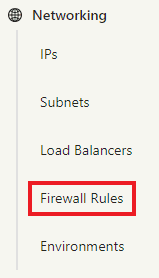
If you would like to view and search all Firewall Rules across your environments, navigate to Firewall Rules tab in Networking Section.
Firewall Rules - Add:
Firewall Rules are added in the Firewall Rules tab on the Virtual Machine (VM) page, or the Load Balancer (LB) page.

And this brings us to the components of the Firewall Rule.
Direction:
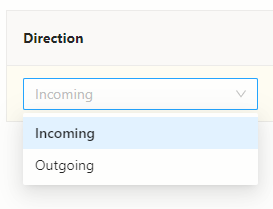
The Direction of the Firewall Rule is to specify the traffic direction ON the VM/LB you are adding the Firewall Rule on, it can either be:
- Incoming to the VM/LB.
- Outgoing from the VM (LBs do not have an Outgoing interface).
If you are wondering where to add the Firewall rule, below points will guide you:
- Add the Firewall Rule in Destination (Incoming): When the destination is in SITE Cloud.
- Add the Firewall Rule in Source (Outgoing): When the destination is either:
- NOT in SITE Cloud. Example: (INTERNET, or MAN/on-premise)
- NOT in the same environment. Example: (Source in Riyadh Environment, and Destination in Jeddah Environment).
Policy Type:
The firewall policy type specifies the zone of the source, and the zone of the destination. These zones can be one of the following:
INTERNET (NET): Public IP on the internet, outside SITE Cloud. (Access from the internet, or to the internet is conditional, ONLY if the VM/LB is in SSA zone AND has a Public IP assigned to it)
On-Premises (ON-PREM/MAN): Private IP, MAN connection in your on-premises network OR a VM/LB in different environment.
High Security Assurance (HSA): Private IP, Virtual Machine or Load Balancer in SITE Cloud. (the workloads in HSA zone are by default severely restricted (or practically forbidden) from direct communications with random external systems. There are stricter rules for onboarding and operating these workloads).
Standard Security Assurance (SSA): Private IP, Virtual Machine or Load Balancer in SITE Cloud. (SSA zone hosts workloads of lower sensitivity or higher vulnerability. These workloads are allowed to connect directly to and from the Internet with appropriate controls. There is more flexibility in the configuration/security requirements for these workloads).
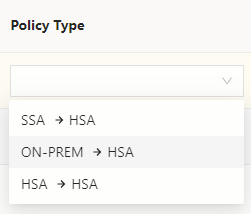
Below is an example of the HSA policy type options for Incoming, notice all options have HSA as destination (->HSA):
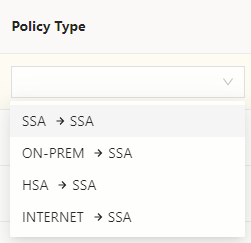
Below is an example of the SSA policy type options for Incoming, notice (INTERNET->SSA) option is available, only because the VM has a public IP, otherwise it is not available:
Sources:
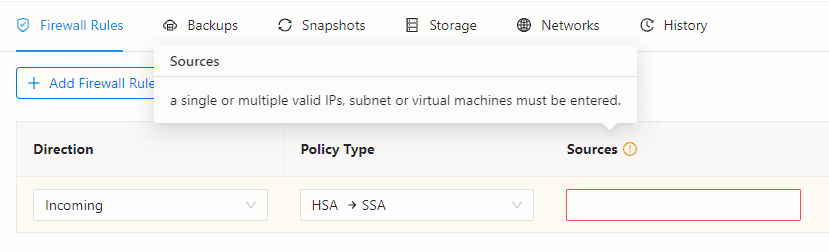
The firewall rule's Source specifies where the traffic is coming from, and it should match the source type chosen in the Policy Type as explained earlier. in the Sources field, a single or multiple valid IPs, subnets, or virtual machines must be entered.
Destinations:
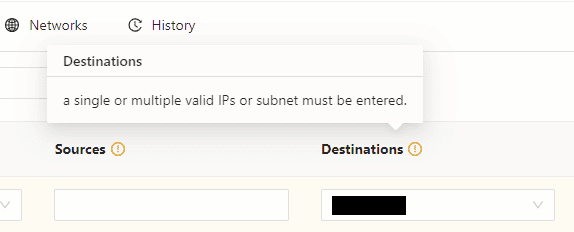
The firewall rule's Destination specifies where the traffic is going to. In the Destinations field, a single or multiple valid IPs, or subnet must be entered. To know where to add the Firewall rule, please refer to the Direction section.
Services:
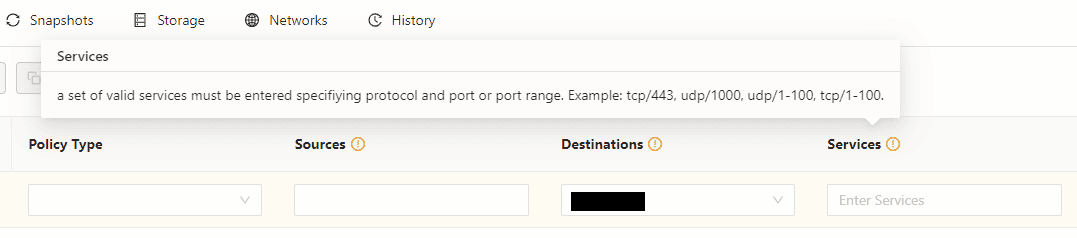
The firewall rule Services use one or more ports, protocol types (TCP, UDP, or ICMP) for the required communication.
Description (Optional):
In the Description field, it is preferable to type a short description of the firewall rule for future reference. For example specifying the use of the firewall rule. However, this field is optional.
Firewall Rules - Edit:
To edit an existing Firewall rule, click on the edit Icon on the far right.

Firewall Rules - Delete:
To delete an existing Firewall rule, click on the delete Icon on the far right.
