

Search...


How to export firewall Rules
In SITE, we ensuring the availability of everything the customer needs. so we allow the customer to export all the firewall rules.
To export firewall rules you should to do these steps below:
1- Sign in to my.cloud.site.sa
2- From the options under Networking chose Firewall Rules.

3- You can filter now so you can chose which Business group, resource type (Private IP/ Load balancers / environment), Direction (Incoming / outgoing), and Policy type. 
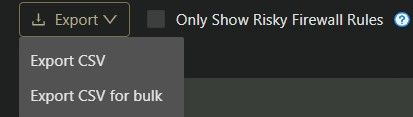
4- Now from this option you can export it.
Updated at 2024-07-28
On this page